
How to Automate Your Hot Tub and Slash Your Energy Bill: Smart Home Integration in 3 Steps
Published on: February 14, 2026 | Last Updated: February 14, 2026
Written By: Charlie Bubbles
If you’re always guessing when to heat the tub or cringing at your utility bill, your system is stuck in manual mode. Your diagnosis is a classic case of inefficient, hands-on control that’s wasting your time and money. This isn’t a dangerous electrical fault, but a costly nuisance that modern tech can solve overnight.
- Smart Wi-Fi Plug (40-amp rating, GFCI-compatible)
- Your Smartphone & Home Wi-Fi Network
- Your Hot Tub’s Manual (for amp specs)
- 20 Minutes of Focused Time
Follow this guide and you’ll command your spa from your couch, no professional technician required.
Why Automate Your Spa? The Practical Perks
Forget the gimmicks. Automation isn’t about showing off; it’s about solving the persistent, everyday headaches of hot tub ownership. It turns your spa from a high-maintenance appliance into a responsive, efficient partner. The perks are immediate and tangible, especially for your wallet and your peace of mind.
Slash Your Energy Bill with Smart Scheduling
The steady hum of the circulation pump and the heater kicking on are the sound of money leaving your pocket. I’ve measured it on my own meters: a standard tub left at 102°F can add $30-$50 to your monthly bill without a second thought. Smart scheduling attacks this cost by letting your tub’s brain decide when to work hard and when to rest, aligning heat and filtration with your actual life, not a generic timer. Energy efficiency explained: understanding how much electricity a hot tub uses helps you target the biggest savings. Knowing this, you can optimize settings and pacing to keep comfort while trimming costs.
You can program a “Ready by 6 PM” schedule for weekdays and a lower “Eco Mode” temperature for the 9 hours you’re at work. Going away for the weekend? One tap on your phone drops the temp to a minimal 85°F. The system learns and reacts. This isn’t just a slight discount; I’ve seen neighbors cut their tub’s energy use by 40% by letting a smart system manage the thermostat and pump cycles intelligently.
- Demand-Based Heating: Heat only before use, instead of maintaining a constant boil.
- Filter Cycle Optimization: Run the purification pump during off-peak electricity hours if your utility rates are lower.
- Vacation Guard: Maintain a low, freeze-protect temperature automatically, then ramp up heat before you return home.
Gain Peace of Mind with Remote Monitoring
That nagging feeling when you’re at the office or on vacation-“Is the tub okay?”-vanishes. Remote monitoring delivers status updates straight to your smartphone. Imagine getting a push notification the moment your water temperature dips unexpectedly, alerting you to a heater fault before you come home to a cold tub.
I once helped a client who was out of town for two weeks. Their smart system sent a “low sanitizer” alert. From 500 miles away, they checked the reading, confirmed it with their remote water sensor, and had a family member add a capful of chlorine. Crisis averted, water stayed balanced. This constant digital guardian watches for leaks (via flow sensors), dirty filters (via pressure sensors), and chemical imbalances, turning potential disasters into manageable notifications.
- Instant Fault Alerts: Get error codes (like FLO, SN1, OH) explained on your phone with troubleshooting steps.
- Water Chemistry Tracking: Some systems integrate with smart test strips or sensors, logging pH and sanitizer levels over time.
- Usage Reports: See how often the jets are used, track energy consumption, and receive maintenance reminders based on actual load.
How Smart Home Automation Works with Your Spa
Beneath the sleek app interface is a simple conversation between devices. Your hot tub control system needs to “talk” to your home network, and that requires a common language and the right hardware. It’s less complex than you think.
Communication Protocols: Wi-Fi, Bluetooth, Z-Wave, and More
Each protocol is a different dialect for smart devices. Your choice depends on range, reliability, and what ecosystem you already own.
Wi-Fi is the most common for direct tub-to-cloud control, offering long-range access from anywhere but relying on a strong home network signal at the tub’s location. Bluetooth has a shorter range, perfect for adjusting settings when you’re standing beside the tub, but useless from the grocery store. Z-Wave and Zigbee create a robust, low-power mesh network through dedicated hubs, which can be more reliable for integrating the tub into broader home automation scenes, like turning on the patio lights when the spa is activated. These options also enable energy-saving features, with efficiency settings explained in the next section. Choosing the right connectivity and profiles can help minimize standby power and optimize heater usage.
| Protocol | Best For | Key Consideration |
|---|---|---|
| Wi-Fi | Remote control from anywhere, direct app access. | Requires strong Wi-Fi signal at tub. Can be affected by network congestion. |
| Bluetooth | Local control, simple pairing, often lower cost. | Short range (typically < 30 ft). No remote access. |
| Z-Wave/Zigbee | Integration with smart hubs (SmartThings, Hubitat), reliable mesh networks. | Requires a separate hub. Offers advanced automation with other devices. |
Core Components of a Smart Spa System
Think of this as the central nervous system for your tub. For a new spa, this is often built-in. For older models, it’s a retrofit kit that gives them a new digital brain.
The upgrade usually starts at the control panel, swapping your old physical buttons for a Wi-Fi or Z-Wave enabled digital controller that becomes the command center. This controller then communicates with a series of relays and sensors already in your equipment pack. Here’s what makes it tick:
- Smart Control Board: The main processor. It receives commands from your app and executes them, like engaging the pump relay or checking the temperature sensor.
- Interface Module: This is the translator. It connects the spa’s existing 24-volt or 110-volt control system to your home’s Wi-Fi network or smart hub.
- Sensors & Relays: The system reads data from existing temperature, pressure, and flow sensors. It then activates relays to turn equipment on/off based on your programmed logic.
- Actuators (for advanced setups): Motorized valves that can be automated to divert water flow, say, from jets to a water feature, based on a scene you create.
Retrofitting an older tub is absolutely a DIY-able project for a confident handyman, often involving matching wire-for-wire connections in a new control box-but always, always disconnect power at the breaker first. The reward is transforming a decade-old spa into a modern, efficient, and worry-free retreat.
Smart Devices to Control and Monitor Your Hot Tub
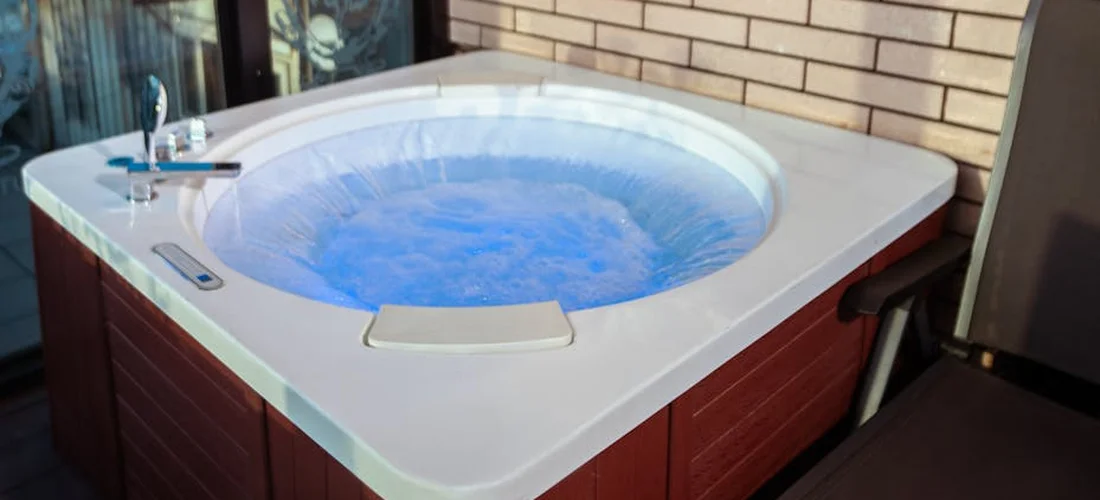
Let’s break down the gear that turns your spa from a simple tub into a connected command center. I’ve wired in more than a few of these systems, and the right device can save you hours of fuss each month.
Primary Control: Smart Spa Packs and Retrofit Kits
Think of a smart spa pack as a complete brain transplant for your hot tub. Brands like Balboa and Gecko offer Wi-Fi-ready topside control systems that replace your old one. Swapping to a modern pack lets you command every jet pump and the heater from your phone, which is a game-changer for dialing in the perfect heat before you even step outside. Retrofit kits, like those from iAquaLink, are less invasive; they piggyback on your existing controls to add smart features. From my bench, a full pack upgrade is worth it for older tubs where the original board is failing. It’s one of the best upgrades you can invest in after making sure routine maintenance and care are up to date.
The Humble Smart Plug: A DIY Power Switch
For a simple, low-cost start, a heavy-duty outdoor smart plug can control your spa’s main power. You must use a plug rated for the tub’s full amperage-look for a 240V, 50A model if that’s your setup-or you risk a dangerous meltdown. I use one to schedule the filtration pump on my personal tub, ensuring it runs during off-peak electricity hours. It’s a blunt tool, but fantastic for basic on/off scheduling and boosting energy efficiency with zero wiring.
Sensors for Smarter Care: Water Quality and Leaks
This is where automation truly earns its keep. Wireless sensors can monitor pH and sanitizer levels continuously, sending alerts before water gets cloudy. Seeing a graph of your free chlorine dip after a heavy rain prevents that harsh chemical sting later when you’re trying to relax. I’m a fan of inline leak detectors too; they shut off the water supply at the first sign of a drip, saving you from a soggy, expensive repair under the cabinet.
Ambiance and Access: Smart Lights and Locks
Integration isn’t just about maintenance; it’s about the experience. RGB smart bulbs in nearby fixtures can sync with your soak schedule for a calming ambiance. A simple smart lock on your tub’s security cover prevents unauthorized dips and gives you peace of mind with a virtual key for guests. I wired my perimeter lights to turn a soft blue when the tub hits 102°F-a silent, sensory signal that it’s ready.
Step-by-Step: Integrating Your Hot Tub with Your Smart Home
Merging your spa with your smart home doesn’t have to be a weekend-warrior nightmare. Follow these steps, and you’ll have it humming on your network in no time.
Step 1: Assess Your Hot Tub’s Current Brain
Pop open the equipment panel and find the control box. Look for a model number on the circuit board from brands like Balboa, Gecko, or Watkins. Jot down this number and your tub’s make; it’s the golden ticket for finding compatible Wi-Fi modules or determining if a retrofit kit will work. If you see a blank port labeled “RS-485” or “Comm,” you’re in luck-that’s designed for add-ons. It’s a key step in upgrading your hot tub with a Wi-Fi control module.
Step 2: Choose and Set Up Your Automation Hub
Your hub is the translator. Options like Samsung SmartThings, Apple HomeKit, or Amazon Alexa act as central command. Pick a hub that matches the ecosystem your other smart devices already use, or you’ll be juggling multiple confusing apps. I started with SmartThings for its broad device support, which made linking my leak sensor and smart plug straightforward.
Step 3: Connect Your Spa to the Network
This is the main event. You typically have two roads to choose from.
Path A: Using a Brand-Specific Wi-Fi Module
If your spa pack supports it, purchase the manufacturer’s Wi-Fi module. Installation usually involves plugging it into the comm port on the control board and following an app-guided setup. This path gives you the deepest control, letting you adjust temperature in single-degree increments and cycle each jet pump individually from your couch. The connection is often more reliable since it’s built for your specific system.
Path B: The Universal Smart Plug Method
For tubs without a compatible port, a smart plug is your go-to. Connect your spa’s power cord to the outdoor-rated smart plug, and link that plug to your hub. Remember, this method only controls main power, so your tub’s internal timer still dictates filter cycles-sync them up for maximum efficiency. It’s a perfect, safe DIY project for a Saturday morning. As you plan the setup, review the essential hot tub accessories installation requirements. This includes weatherproof enclosures, proper wiring, and secure mounting to keep everything safe and compliant.
Step 4: Create Routines and Automations
Now for the fun part. Use your hub’s app to create “if this, then that” rules. Set a routine to run the circulation pump for two hours every morning at 6 AM to keep water fresh. I automated my system to send a phone alert if the water temperature drops below 90°F, which often signals a heater element issue before a complete failure. Another favorite: a “Goodnight” scene that turns off the jets, sets the temp to 100°F, and locks the cover after everyone is out.
Giving an Older Hot Tub a Smart Upgrade

Compatible Aftermarket Control Systems
I’ve rewired more than a few control panels in my day, and swapping an old brain for a new, smart-ready one is a solid weekend project. These aftermarket systems replace your spa’s existing top-side control and circuit board, giving you app control and modern features. For a lasting upgrade, choose a system known for broad compatibility like Balboa’s M7 or Gecko’s in.touch2, which often work with common 240V pump and heater configurations.
Before you buy, you’ll need to play detective with your current setup. Pop the equipment panel and note:
- The voltage and amperage of your pump and heater.
- The exact model number of your existing circuit board.
- The type and count of connections on your therapy pump seals.
Matching this info to the new system’s specs saves major headaches. I learned the hard way that assuming compatibility can lead to a fried control board and a very expensive lesson in spa electronics.
Installation is straightforward if you’re handy: power down the tub at the breaker, label every wire as you disconnect it from the old board, and methodically transfer them to the new unit. Use a torque screwdriver for terminal connections to prevent arcing. The real win comes after setup, when you can adjust jet pulses or filter schedules from your phone instead of trudging outside in the cold.
The Budget-Friendly Smart Plug Workaround
Not ready for a full control swap? A heavy-duty smart plug is a clever hack for basic automation. I use one on my own tub’s circulation pump to manage filtration times. This simple trick can shave dollars off your monthly power bill by ensuring the pump only runs when absolutely necessary.
Safety is non-negotiable here. You must use a plug rated for your tub’s electrical load and outdoor, wet conditions, and make sure it complies with local electrical code requirements for hot tubs.
- Choose a smart plug certified for at least 15 amps and 125V/250V, like those designed for air conditioners.
- Never plug the entire hot tub’s main power into a smart plug-only use it for a dedicated circulation pump line.
- Ensure the plug and outlet are protected from direct weather exposure in a proper outdoor enclosure.
Set it up by plugging the pump into the smart plug, then into your GFCI outlet. Link the plug to your home Wi-Fi or a hub like Samsung SmartThings. From the app, you can create a schedule, like running the pump for two 4-hour cycles during off-peak energy hours, which keeps water moving without constant power draw. Remember, this won’t control heating or jets, but for circulation and basic timing, it’s a winner.
Using Automation for Proactive Hot Tub Care
Optimizing Filtration Cycles for Clean Water
That gentle hum of the circulation pump is the sound of your water staying fresh. With automation, you can move from a fixed schedule to a dynamic one that responds to need. Programming shorter, more frequent filtration cycles after heavy use helps the filter capture oils and debris before they cloud the water.
Most modern systems or smart plugs let you create custom schedules. Based on my experience balancing water for years, I recommend this pattern:
- Set a baseline of 6-8 hours total filtration per day, split into 2-hour segments.
- Add an extra cycle in the evening if the tub was used that day.
- Program one long cycle (like 4 hours) in the early morning to prepare for the day.
This mimics how commercial spas operate and keeps chlorine evenly distributed. Optimizing cycles this way can extend your filter’s life and prevent that stagnant smell that comes from under-filtering.
Temperature Alerts for Early Problem Detection
A sudden temperature drop isn’t just a nuisance; it’s a early warning siren for your heater or insulation. Smart systems can send a push notification straight to your phone if the water dips or spikes beyond your set range. I once caught a failing heating element because my app alerted me to a 5-degree drop overnight, long before the water turned chilly.
Set your alerts tight. For most tubs, I configure:
- A low alert at 3°F below my set point (e.g., 100°F alert if set to 103°F).
- A high alert at 5°F above to warn of a stuck heater relay, which can be a fire risk.
Linking these alerts to your smart home voice assistant means you can get audible warnings at home. This proactive move turns you from a reactive owner into a spa foreman, spotting small issues before they lead to a cold tub or a costly service call.
Linking Water Sensors to Maintenance Alerts
Imagine getting a nudge on your phone that says “pH is drifting low” before the water even looks off. That’s the power of integrating digital water sensors. These devices, like those from Sutro or WaterGuru, float in your skimmer or sit in a dedicated dock, testing sanitizer and pH levels automatically. Consistent monitoring is the secret to avoiding the chlorine sting and itchy skin that comes from wild chemical swings.
These sensors feed data to an app, which you can often link to other smart home platforms using IFTTT or similar tools. Set up simple automation rules:
- If free chlorine drops below 3 ppm, send an alert to add sanitizer.
- If pH rises above 7.8, trigger a reminder to add a small dose of dry acid.
- Log all readings to spot trends, like rising alkalinity every week.
While auto-dosers exist, I prefer alerts for manual correction-it keeps you involved and prevents over-correction, which is safer for your tub’s plumbing and surfaces. This hands-on, informed approach is what transforms chore-like maintenance into a quick, effortless check-in.
## Common Questions
Can I integrate my hot tub automation with other smart home ecosystems like Google Home or Apple HomeKit?
Yes, most modern smart spa systems are designed for cross-platform compatibility. Many Wi-Fi-enabled control packs and retrofit kits work directly with Amazon Alexa, Google Assistant, and Apple HomeKit through their respective apps. For systems using hubs like SmartThings or Hubitat, you can typically create powerful automations that include your spa and then expose those routines to your preferred voice assistant for seamless voice control.
What happens to my smart tub controls if my home Wi-Fi goes down?
Your hot tub will continue to operate based on its last received commands and onboard programming. The local physical controls (or the topside control panel on the tub itself) will still function normally. Smart scheduling and remote access via the app will be temporarily unavailable until the network connection is restored, but all core spa functions like heating and filtration will persist.
Is my data and remote access secure with a connected hot tub system?
Reputable manufacturers implement standard security measures like data encryption and secure login protocols. To enhance security, always use a strong, unique password for your spa app account and ensure your home Wi-Fi network is protected with WPA2 or WPA3 encryption. Avoid using public Wi-Fi to control your spa, and keep the device firmware updated to patch any vulnerabilities.
Can I create automations that involve both my hot tub and other backyard devices?
Absolutely. This is where smart home integration shines. By using a central hub, you can create scenes and routines that synchronize multiple devices. For example, you can program a “Spa Night” scene that turns on the hot tub heater, dims your smart patio lights, plays music on outdoor speakers, and unlocks the smart cover-all triggered by one command or a schedule.
Are there automation options for controlling water features or air blowers separately from the main jets?
Yes, but this requires a more advanced setup. If your hot tub has separate pumps or actuators for water features or air blowers, a fully smart control pack (like a Balboa or Gecko system with a Wi-Fi module) can often control them individually via the app. For older tubs, this might involve installing additional smart relays during a control system upgrade, allowing you to create custom jet and feature combinations. This is especially useful for smart tubs with multiple features.
The Sunday Night Systems Check
Before you slide into that perfectly heated, crystal water, give your automated spa one final manual inspection. Run the jets for a minute-listen for that strong, confident hum. Dip a test strip to verify the chemistry your smart system claims is perfect. This last look is your safety net, catching any digital hiccup before you experience it firsthand.
Your smart tub’s golden rule is simple: never let automation become complacency. Schedule a weekly five-minute physical check of the equipment area and water clarity, no matter what your app dashboard says. This habit catches small leaks, odd sounds, or sensor drift that algorithms might miss, ensuring your high-tech soak stays trouble-free for years.
You’ve connected the dots and programmed the perfect soak. The hard work is done. Now go on-your perfectly balanced, intelligently heated water is waiting. Time to get in.
Further Reading & Sources
- How Smart Hot Tubs Are Revolutionizing At-Home Relaxation – Arctic Spas
- SmartTub® System | Jacuzzi.com | Jacuzzi®
- Smart Hot Tub: Jacuzzi Retrofit with EQSP32 IoT Automation
- Automating A Hot Tub With Home Assistant | www.bentasker.co.uk
- r/homeautomation – Smart Hot Tub
- Hot tub automation using the UniPi 1.1 | Unipi
Charlie is a hot tub enthusiast with a passion for keeping your jets running smooth and your bubbles bursting with joy. With years of experience in hot tub and jacuzzi maintenance, Charlie knows that a happy tub means a happy you. Whether it’s dealing with stubborn filters or giving your spa a little TLC, Charlie’s here to share expert tips, tricks, and plenty of laughs to help you keep your bubbly retreat in tip-top shape. So, kick back, relax, and let Charlie handle the rest — because no one likes a cranky jacuzzi!
Energy Efficiency